
Settings and Branding
Your club details, brand colour, the greeting visitors see when the chat opens, and your voice assistant options all live in Settings.
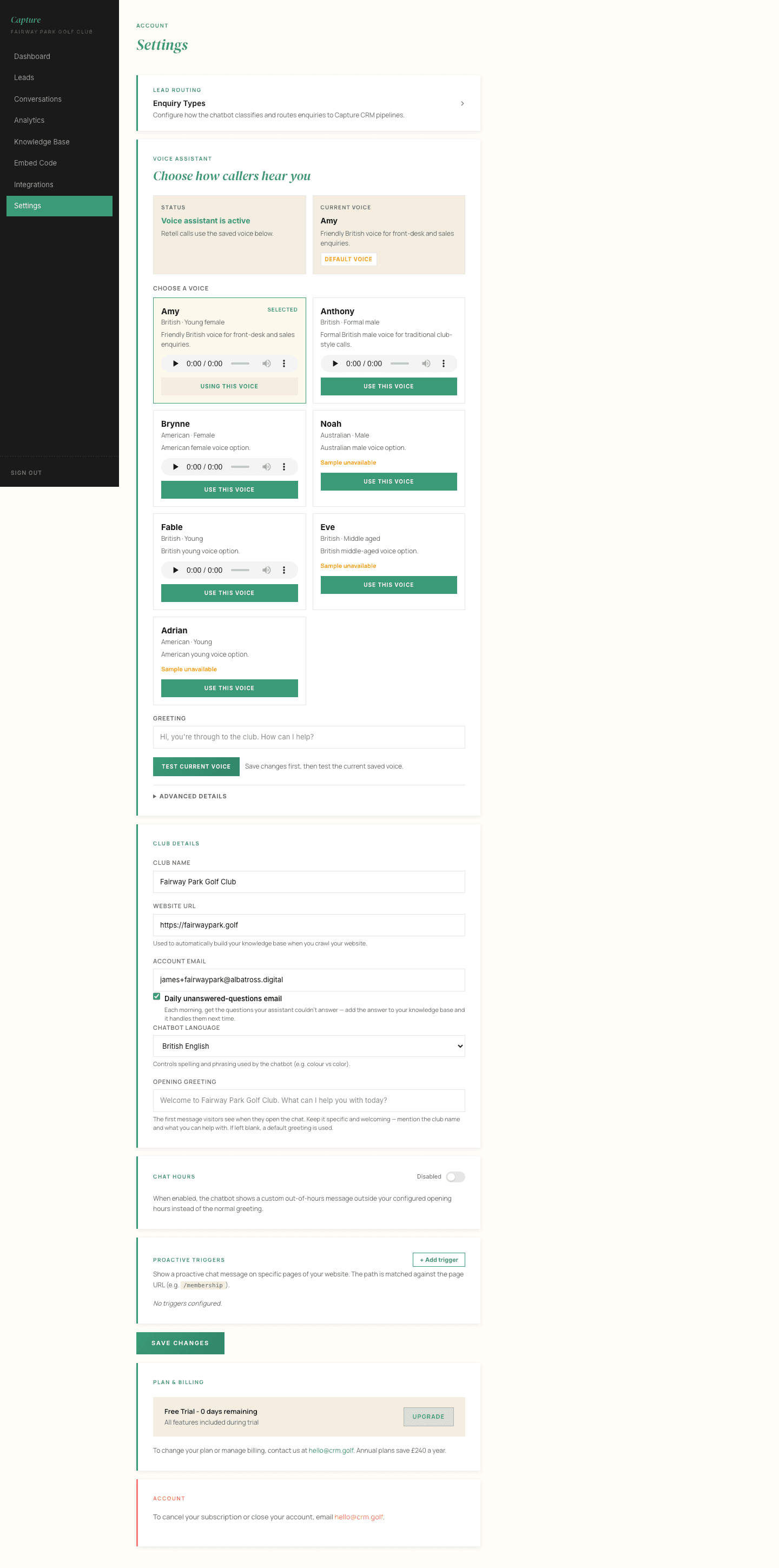
The greeting
The greeting is the first thing a visitor reads when the chat opens, so it is worth a minute of thought. Something that sounds like your club beats something generic.
Keep it short, make it obvious the assistant can help with green fees, membership and societies, and avoid making it sound like a form.
Your brand colour
Set your brand colour here and the chat widget picks it up. If you leave it unset, the widget uses a default green, which looks perfectly smart but will not match your website.
Voice
If voice is enabled on your account, this is where you choose how the assistant sounds to callers and to visitors using voice on your website.
Changes are live immediately
Settings save straight away and apply to the next conversation. There is no publishing step and nothing to redeploy on your website.
Business lines
Business lines are the areas of the club your concierge recognises: green fees, membership, societies and golf days, the driving range, lessons, and so on. They control how enquiries are labelled and, if you use Capture CRM, which tag each lead receives.
Most clubs never need to change these. If your club sells something the list does not cover, tell us and we will add it.