
Your Knowledge Base
If you read only one page in this section, make it this one.
The Knowledge Base is where your concierge gets its answers. Everything it tells a golfer about green fees, membership, societies, opening hours or food comes from here. Keep it current and the concierge is accurate. Let it go stale and it will confidently quote last season's prices.
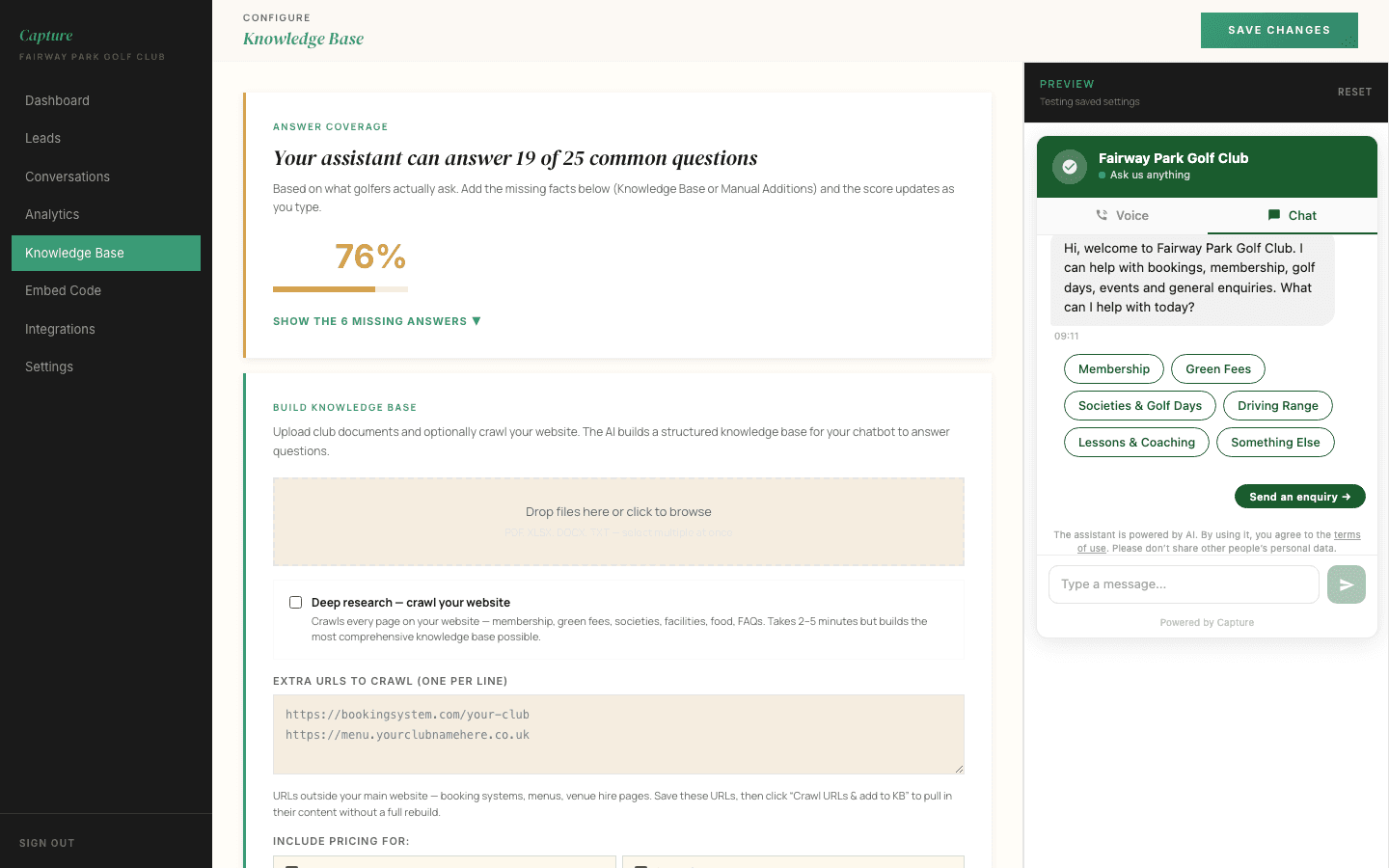
Updating an answer
- Go to Knowledge Base in the left-hand menu
- Find the section you want to change, or add a new one
- Make your edit
- Click Save changes
That is the whole process. The concierge uses the new answer on the very next conversation. There is no waiting, no publishing step, and nothing to ask us for.
You cannot break it
Nothing you write here goes live on your website, and nothing you change is permanent in a way that matters. If an answer comes out wrong, come back, fix the wording, and save again.
Your coverage score
At the top of the page is a score showing how many of the 25 questions golfers most commonly ask a golf club your concierge can currently answer.
Click Show the missing answers to see the ones it cannot. Filling in the handful that apply to your club is the highest-value ten minutes you can spend in here, because these are not hypothetical questions. They are the ones golfers actually ring up and ask.
You do not need to answer all of them. Some will not apply to your club, and it is better to leave a gap than to invent something.
Building the answers automatically
You do not have to type everything from scratch.
- Crawl your website. Point it at your own pages and it will read them and build answers itself. Useful when your green fees or society packages already live on your site.
- Upload documents. Drop in a society pack, a membership brochure or a rate card as a PDF or Word file, and it will read those too.
- Add extra URLs. Booking systems, menus and venue hire pages that sit outside your main site can be added one per line and pulled in.
Whatever it builds, review it afterwards. The concierge is only ever as good as what it has been told, and a quick read-through catches anything it has misread.
Questions it could not answer
Over time, the dashboard collects the questions where the concierge said it did not know. These appear as Possible KB gaps on your dashboard.
This is the most useful list in the whole product. It is a record of things real golfers wanted to know and your club did not answer. Work through it every few weeks and your coverage climbs on its own.
Keeping prices right
The single most common cause of a wrong answer is a price that changed and was never updated here. Green fees, society rates, membership categories, buggy hire. When any of them change, update this page the same day.