
Conversations and Leads
Two pages in the left-hand menu, and they answer different questions. Conversations tells you what people asked. Leads tells you who to ring back.
Conversations
Every conversation the concierge has, whether typed or spoken, is listed here with the question that was asked and what came of it.
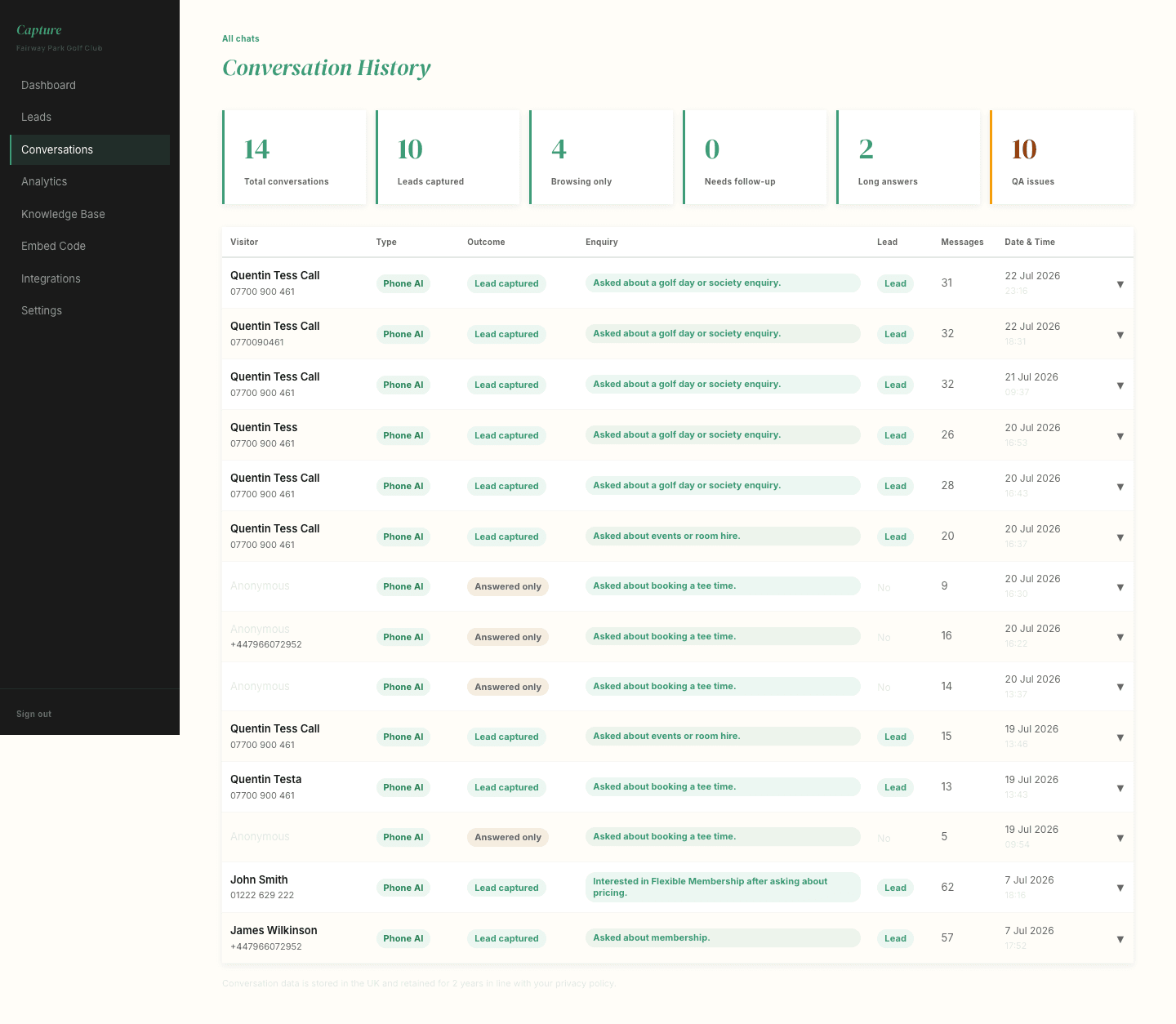
Click the arrow on any row to read the full exchange, exactly as the golfer saw it.
The columns worth understanding:
- Type -- whether it was a text chat or a voice conversation.
- Outcome -- whether it answered the question, captured a lead, or could not connect.
- Enquiry -- what the conversation was about, such as green fees or membership.
- Lead -- whether the visitor left their details.
Worth a glance once a week. You are looking for two things: questions the concierge struggled with, which usually means something is missing from your Knowledge Base, and questions you did not expect people to be asking, which is often more useful than anything else on the dashboard.
Leads
When a visitor leaves their name and contact details, they appear here.
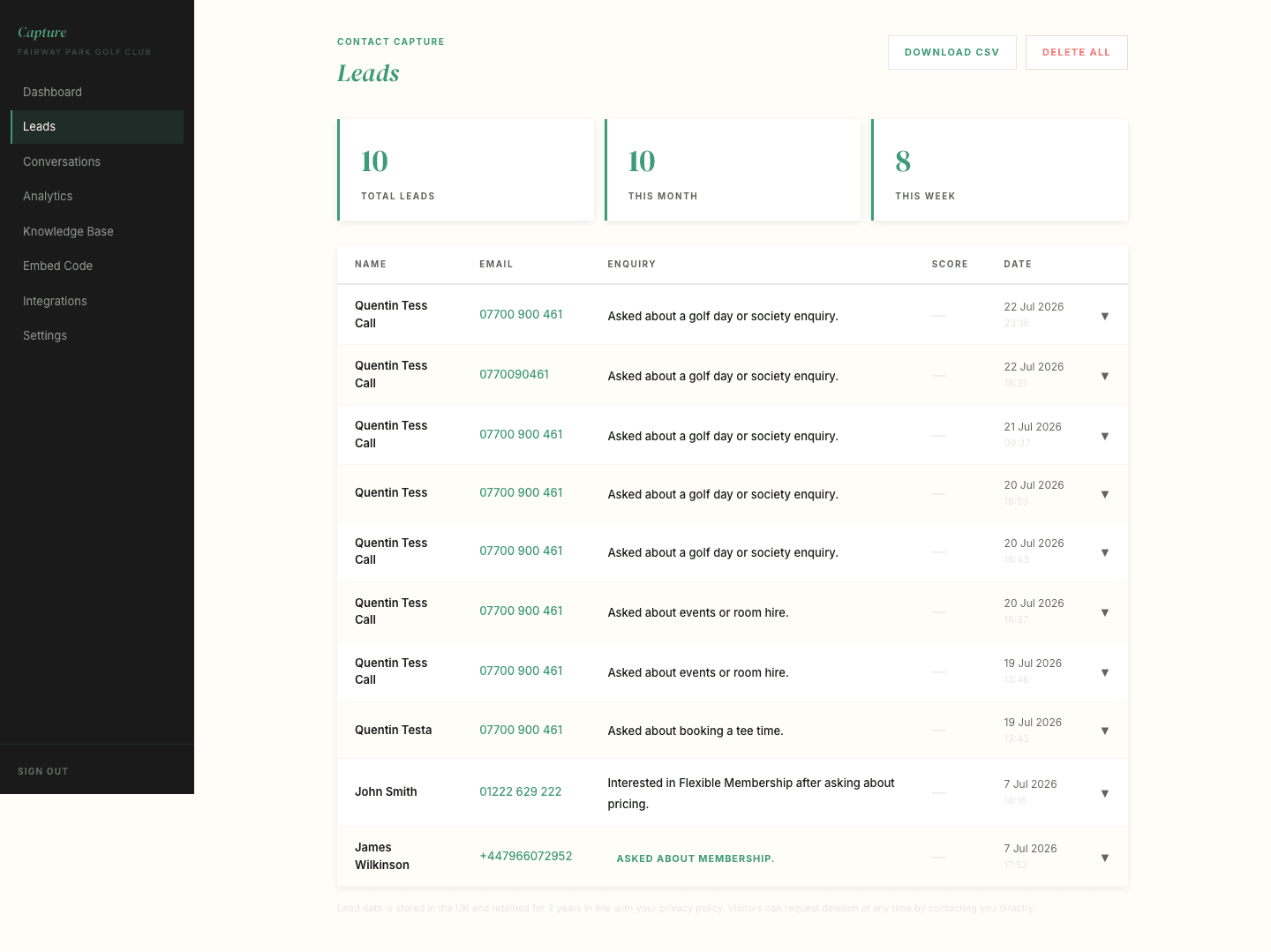
Each lead carries the enquiry it came from, so you know what they were asking about before you ring them back. Somebody who asked about society packages at eight in the evening is a different conversation from somebody who asked about junior membership.
These are the ones you would otherwise have missed
Most leads captured by the concierge arrive outside office hours or while the phone was engaged. They are worth following up promptly, while the club is still fresh in mind.
Engaged but not captured
Your dashboard also flags visitors who chatted several times without leaving any details. Some of those people simply got their answer and went away happy. Others are enquiries that slipped through.
If that number is consistently high, it usually means the concierge is answering well but not asking for details at the right moment, which is something we can adjust for you.
Where leads go next
If your club uses Capture CRM, leads also flow straight into your pipeline with the right tag applied, so they can be worked like any other enquiry. The tags your concierge sends are listed on your dashboard under CRM tags.